 Published on
 AuthorPublished onAuthor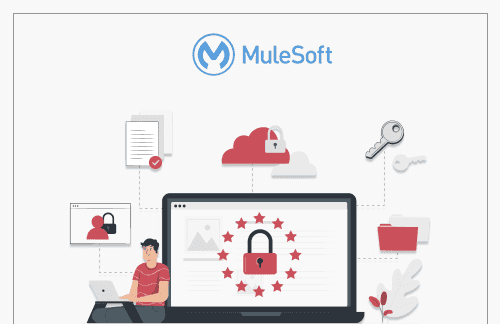
Encryption is when information is converted into a secret code that hides information’s true meaning. Science of encrypting and decrypting information is called cryptography. In computing, unencrypted data is called plaintext, and encrypted data is called Ciphertext. Formulas used to encrypt, and decrypt are called encryption algorithms or Ciphers. Purpose of data encrypting is to protect the confidentiality of data shared across networks over the internet. API Integration security breaches can be minimized using the crypto module in Mule 4
Pretty Good Privacy (PGP) is an encryption system used for sending both encrypted files and emails. PGP shares some features with other encryption systems like Kerberos encryption (used to authenticate network users) and SSL encryption (used to secure websites).

We will be doing PGP encryption in MuleSoft using a PGP encrypt connector from Mule 4 crypto module.
First things first, generate new private and public key pairs using a tool named Kleopatra. Once the Kleopatra is installed, we can move on to the following steps.
1. Go to File > “New key Pair” and a dialogue box will open.

2. Enter the details, with Common-Name and email address fields as the required fields. In advanced settings, you can set the encryption algorithm. By default, it uses RSA and also you can select the key size whether it is 2048, 3082, 4096 bits. Note: We cannot use DSA for encryption since it is primarily used for digital signature and validation purposes

3. Add the passphrase for your key and click “OK” and a new key pair will be generated.

4. Once the key pair is created, you can export by clicking on the key and then “Export” and export the certificates to any location

5. Once you open the File, it should look like this.

6. Once the private and public key pair is exported, add the Crypto module from the exchange. Use Mule 4 PGP connector and set the config. Provide the file path for the public key for encryption in the PGP connector config and the fingerprint information. For decryption, provide a path for the private key.

7. Here is the snapshot of the application

8. We will be encrypting a json data and then decryption it again. Here is the sample input for:
{
	"firstName":"John",
	"lastName":"Doe",
	"dateOfBirth":"28/05/1994",
	"employmentHistory":{
		"companyName":"Amazon",
		"location":"Hyderabad"
	}
}
9. After running and encrypting the data, the encrypted output looks like this:
-----BEGIN PGP MESSAGE-----
Version: BCPG v1.61

hQEMA8pVfKM99DLIAQgAwf7sFW/fTt0sBbJ0COiqxswiJ9F1v1G3RelBBBCGshYt
YdS+l5chfm4gQd176u5u7kVqS/+GSn13fgfHJNnaSfqEmvEA99YdwsX0ucSgTrE7
Pklq3wCf0WlOY6qpk+rh+/754nysG672yXizYQNelgVbCjtf07rEH5jMkJqTj456
7sHzETA8nKhwLF10HDSGdrA8s/+gITeCj02UV3XNW4g+wAfSdJOsa8hFThZWiajY
OyZbK2rUWzzBaE0kj3dddbMBuD+zFfkxo+f+NiyeeZOAP1alps0PTmvApvKb1KV9
kkADWJ1NeE3WqGa6syII3kSRCX/40rHmGxHGN6UO3tK3ATm+KOGM/Pi+gTkWWNs5
0LHmJFw0RTvsAVWNqB6z8GD2fCen94GA1ijNd2jP7olZEMzQMbYJZ1DpdKl9IF7X
48IWg89yD+JSJjrkxbr1WAq/6RooApo2blhOeeY5lS2K33SX8Hm8UkjqyvFEUjaF
ACPLliGyLRW6aHTkuzNlWZg9zFy1X89NR9+/gDwyeJH6VK+4L3Z+hse6XP9m5QuG
jdCIaIlX9LUiGcvnPeuNNHwlM7Y2qOga
=vY2Y
-----END PGP MESSAGE-----
10. Application logs look like this

PGP Encryption adds a security layer that makes sure that the data being transmitted via various channels is secured and can only be accessed by the person with the key that can decrypt the data. Using Mule 4 crypto module, a MuleSoft developer we can achieve different functionalities like PGP encryption-decryption, JCE encryption, calculating checksum and more.
Every technology platform eventually evolves. The organizations that realize the greatest value are not the ones that migrate first they are the ones that use the transition to rethink how their business operates. That is exactly where many organizations find themselves today as they plan their move from Salesforce CPQ to Agentforce Revenue Management. The… Continue reading CPQ to Agentforce Revenue Management: Why Your Next Migration Should Start with Business Strategy, Not Configuration
Every technology platform eventually evolves. The organizations that realize the greatest value are not the ones that migrate first they are the ones that use the transition to rethink how their business operates. That is exactly where many organizations find themselves today as they plan their move from Salesforce CPQ to Agentforce Revenue Management. The… Continue reading CPQ to Agentforce Revenue Management: Why Your Next Migration Should Start with Business Strategy, Not Configuration
Salesforce and MuleSoft integrations are often presented as straightforward connector setups but the real complexity lies in authentication design and access control. This guide walks through a clean, production-ready approach to setting up a secure integration between Salesforce and MuleSoft. Why This Matters More Than Ever With recent updates in Salesforce, basic authentication is being… Continue reading Integrating Salesforce with MuleSoft: A Practical Guide
Salesforce and MuleSoft integrations are often presented as straightforward connector setups but the real complexity lies in authentication design and access control. This guide walks through a clean, production-ready approach to setting up a secure integration between Salesforce and MuleSoft. Why This Matters More Than Ever With recent updates in Salesforce, basic authentication is being… Continue reading Integrating Salesforce with MuleSoft: A Practical Guide
Designing 837 Claim Integration for Real-World Healthcare Systems When it comes to 837 claim integration, most architects assume the X12 specification guarantees predictability. On paper, the 837 Professional, Institutional, and Dental transactions look clean and orderly. In production? Not even close. Real-world 837 files behave differently across trading partners. Loops appear conditionally. Repeatable segments shift… Continue reading Designing for Reality: Integrating 837 Claims When X12 Meets Production
Designing 837 Claim Integration for Real-World Healthcare Systems When it comes to 837 claim integration, most architects assume the X12 specification guarantees predictability. On paper, the 837 Professional, Institutional, and Dental transactions look clean and orderly. In production? Not even close. Real-world 837 files behave differently across trading partners. Loops appear conditionally. Repeatable segments shift… Continue reading Designing for Reality: Integrating 837 Claims When X12 Meets Production
Introduction For the current digital ecosystem, data is an important aspect for decision-making. Yet, for many organizations, a significant portion of this valuable data remains locked away in unstructured formats. Organizations handle thousands of PDF documents daily — ranging from contracts and invoices to lab reports, quotations, and service agreements. Traditionally, extracting structured data from… Continue reading AI-Driven PDF Parsing in Salesforce
Introduction For the current digital ecosystem, data is an important aspect for decision-making. Yet, for many organizations, a significant portion of this valuable data remains locked away in unstructured formats. Organizations handle thousands of PDF documents daily — ranging from contracts and invoices to lab reports, quotations, and service agreements. Traditionally, extracting structured data from… Continue reading AI-Driven PDF Parsing in Salesforce